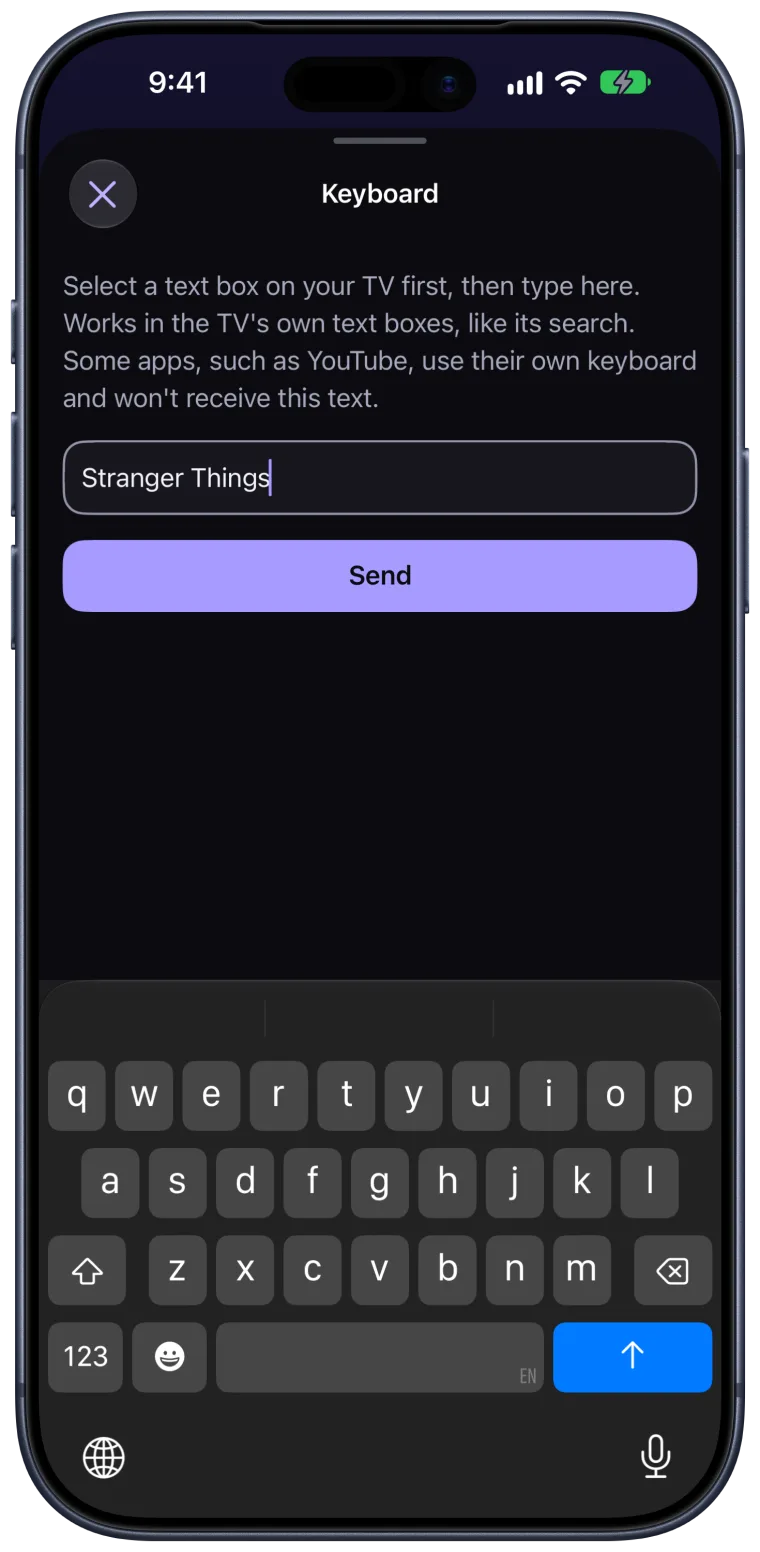
Type with your iPhone keyboard.
Search for shows and fill in text fields on the TV with the keyboard you already know, instead of picking letters one by one.
Nexa TV Remote
A fast, private remote for Google TV and Android TV, designed for iPhone, iPad and Apple Watch.
Setup
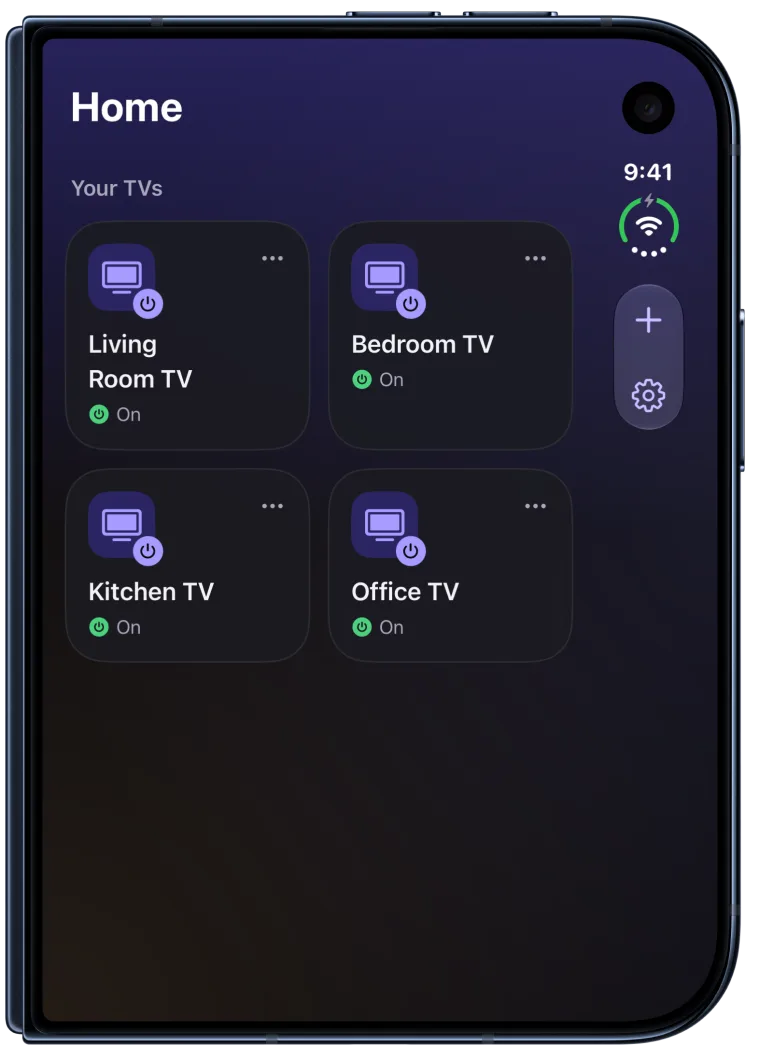
No account to create and no cables. Your iPhone and your TV only need the same Wi-Fi.
Nexa looks for compatible TVs on your Wi-Fi. If yours doesn’t appear, add it by its IP address.
Enter the code your TV shows. Nexa creates its own pairing key and keeps it in your device’s Keychain.
Your remote is ready. Next time, Nexa reconnects by itself, so you can go straight to watching.
The remote
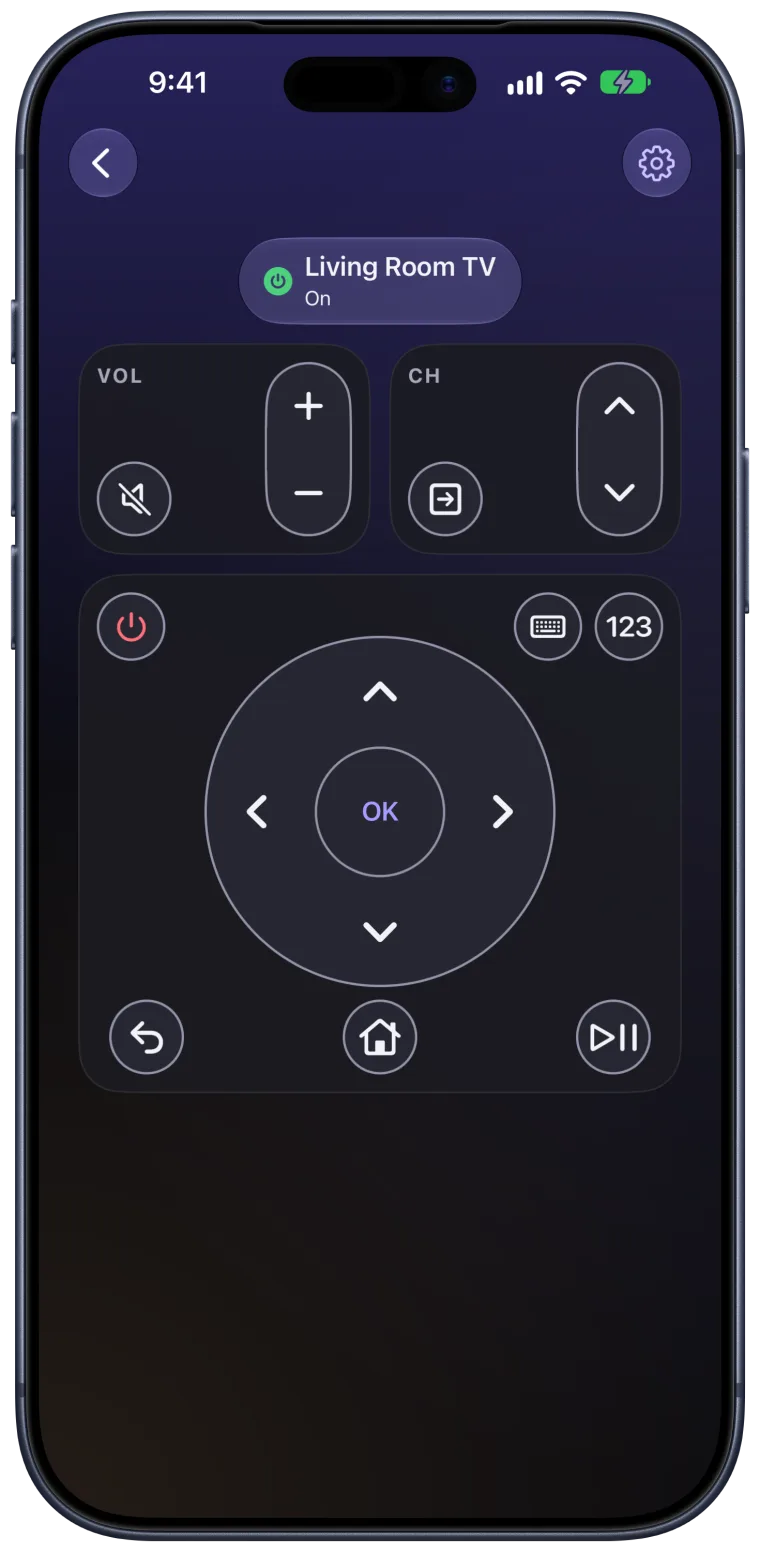
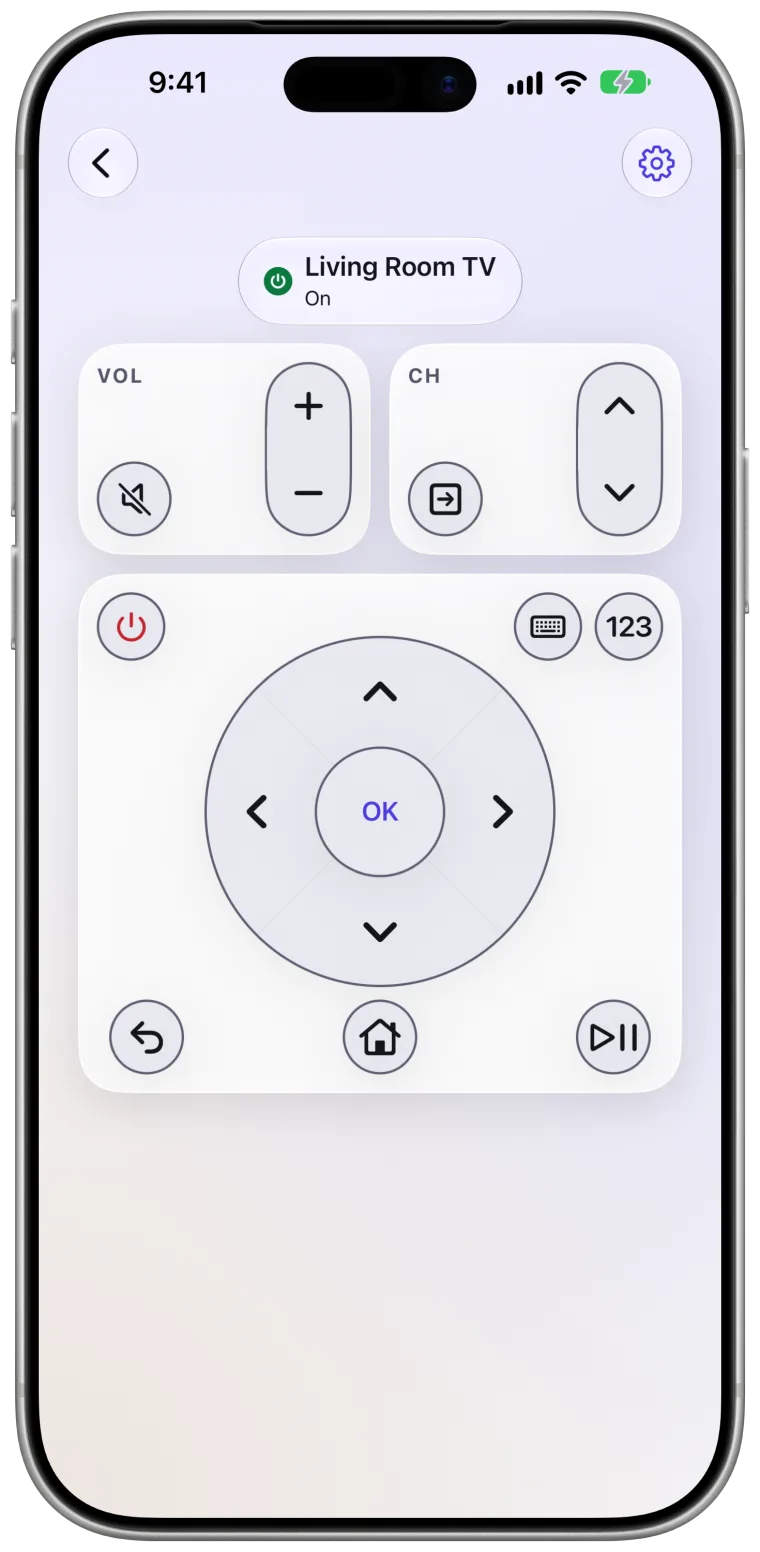
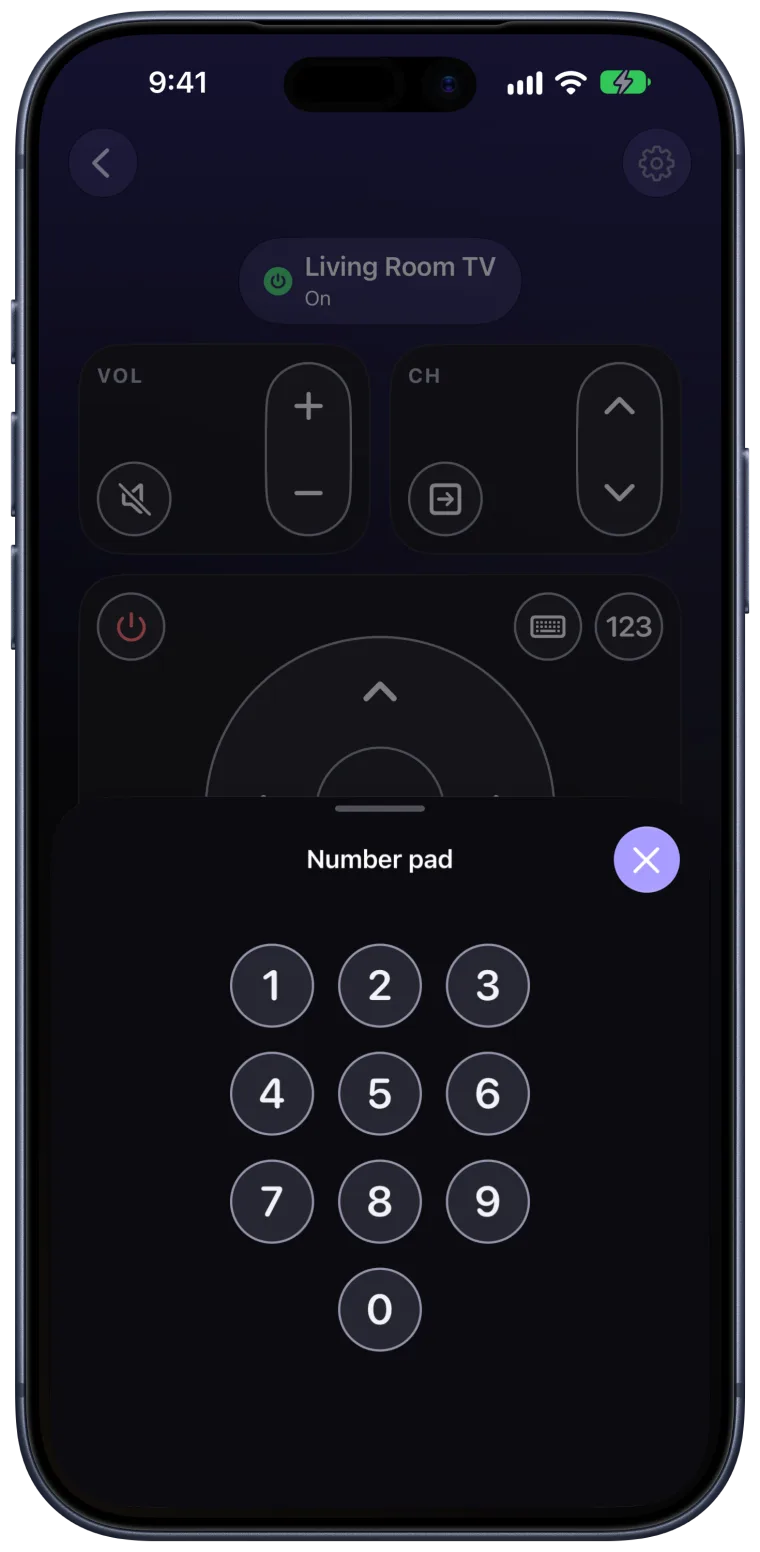
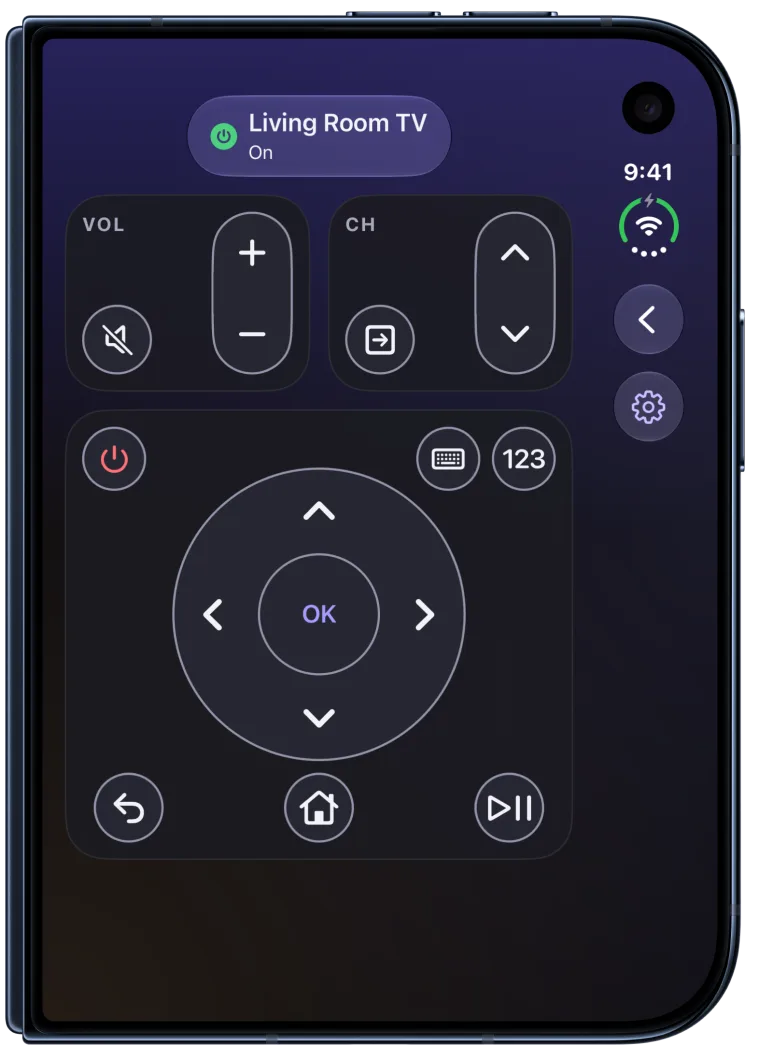
A clean D-pad, volume and channels, playback and power, laid out for one-handed use with crisp haptic feedback.
Nexa shows the controls its connection to your TV supports. Some TVs and apps may ignore certain keys.
Thoughtful details
Search for shows and fill in text fields on the TV with the keyboard you already know, instead of picking letters one by one.
Turn your TV off from Nexa. On TVs that stay reachable in network standby, you can turn it back on too.
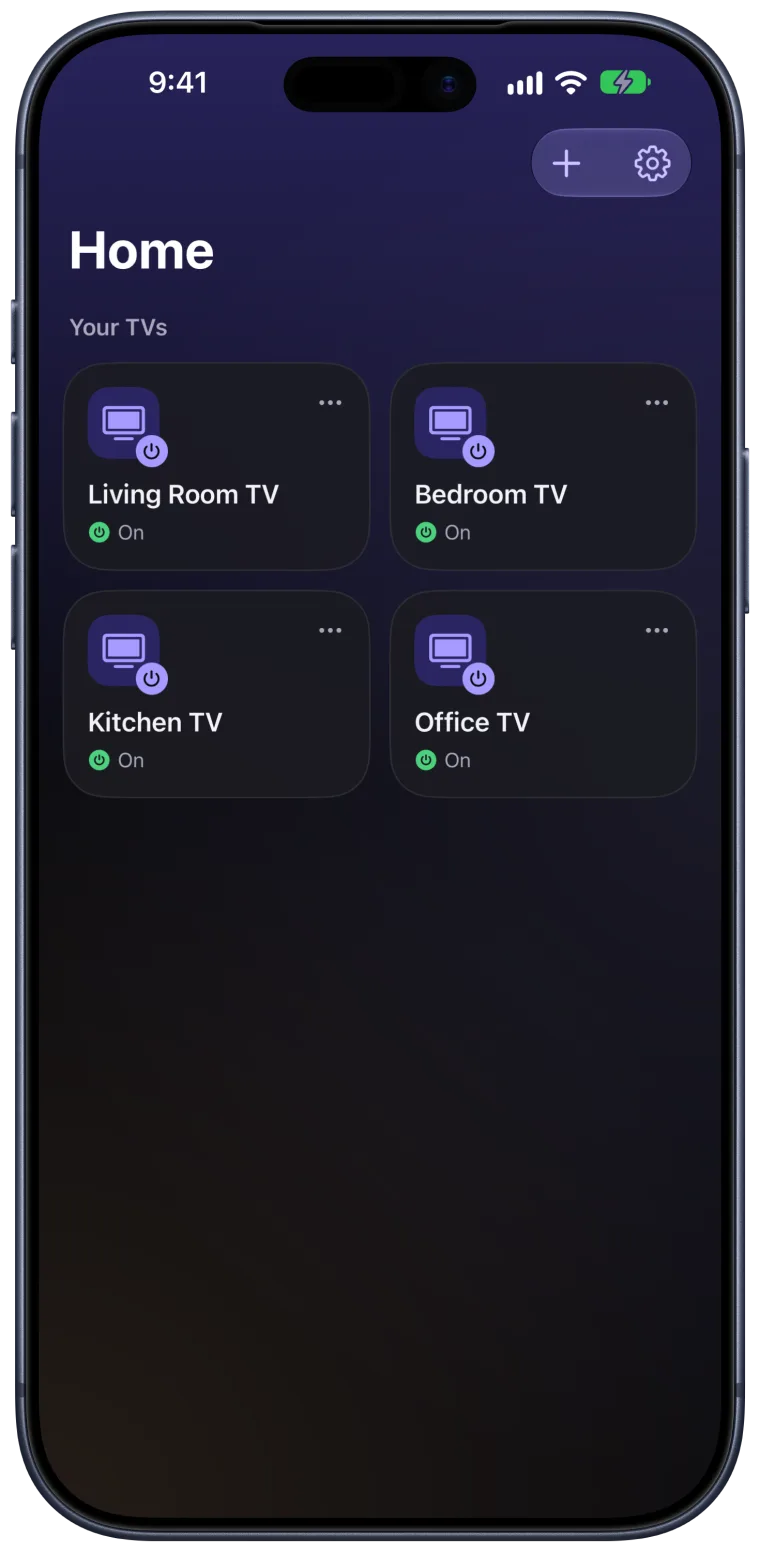
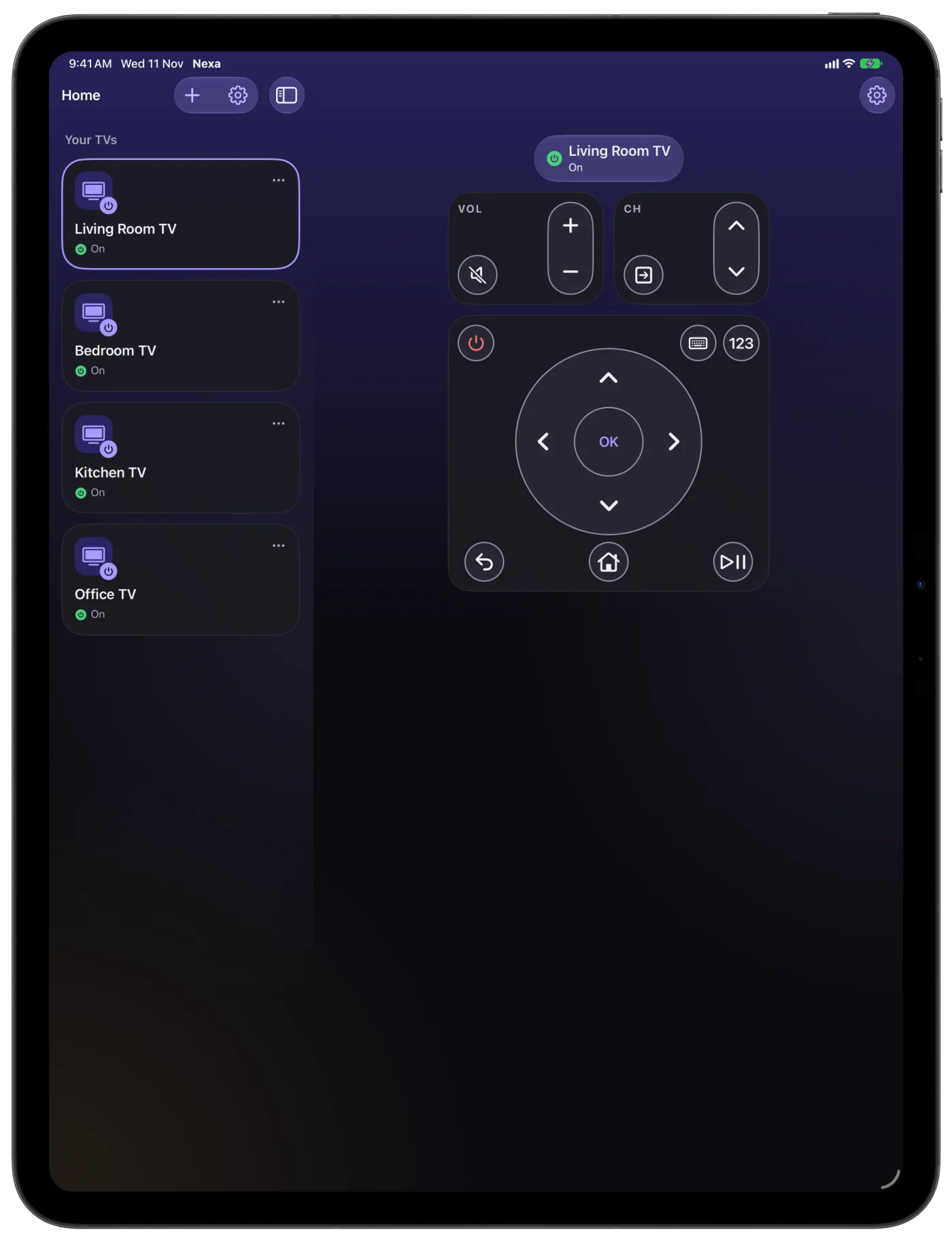
Give each TV its own name and room, and switch between them with a tap.
Nexa remembers your TVs, and finds a TV it discovered on your Wi-Fi again, even at a new address.
Commands travel over an encrypted connection that’s tied to the exact TV you paired.
Clear VoiceOver labels, support for larger text sizes with Dynamic Type, and calmer animation when Reduce Motion is on.
Across your Apple devices
Nexa feels at home on every Apple device you reach for. Apple Watch uses the TVs you pair on your iPhone.
A layout made for the bigger screen, with your TVs and the remote side by side. Pair your TVs once on iPad.
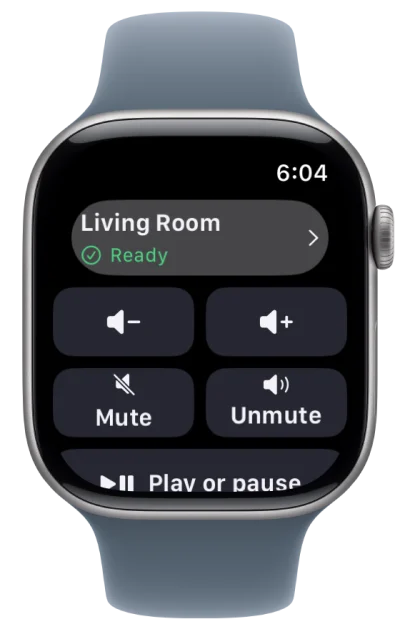
Mute, change the volume, and play or pause from your wrist. Commands go through your iPhone.
Say “Mute the TV in Nexa”, or build Shortcuts. With more than one TV, Siri asks which one.
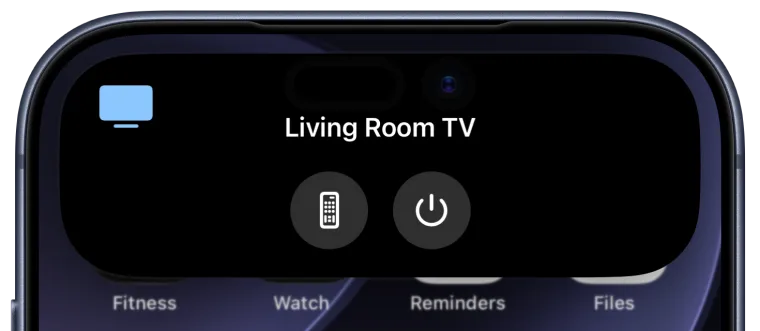
While you watch, open the remote or turn the TV off (after unlocking) from the Lock Screen and the Dynamic Island.
Privacy
Nexa talks to your TV directly over your Wi-Fi. No cloud service sits in between, and nothing about you or what you watch is collected.
Open the app and pair. There’s nothing to sign up for.
No analytics, no advertising and no third-party trackers.
Commands go from your device to your TV, and nowhere else.
Pairing keys stay in your device’s Keychain and never leave it.
Compatibility
On TVs and streaming devices from brands like these.
Your TV needs Google TV or Android TV and the same Wi-Fi as your iPhone. Requires iOS 26 or later; Apple Watch needs watchOS 26.
For iPhone, iPad and Apple Watch.